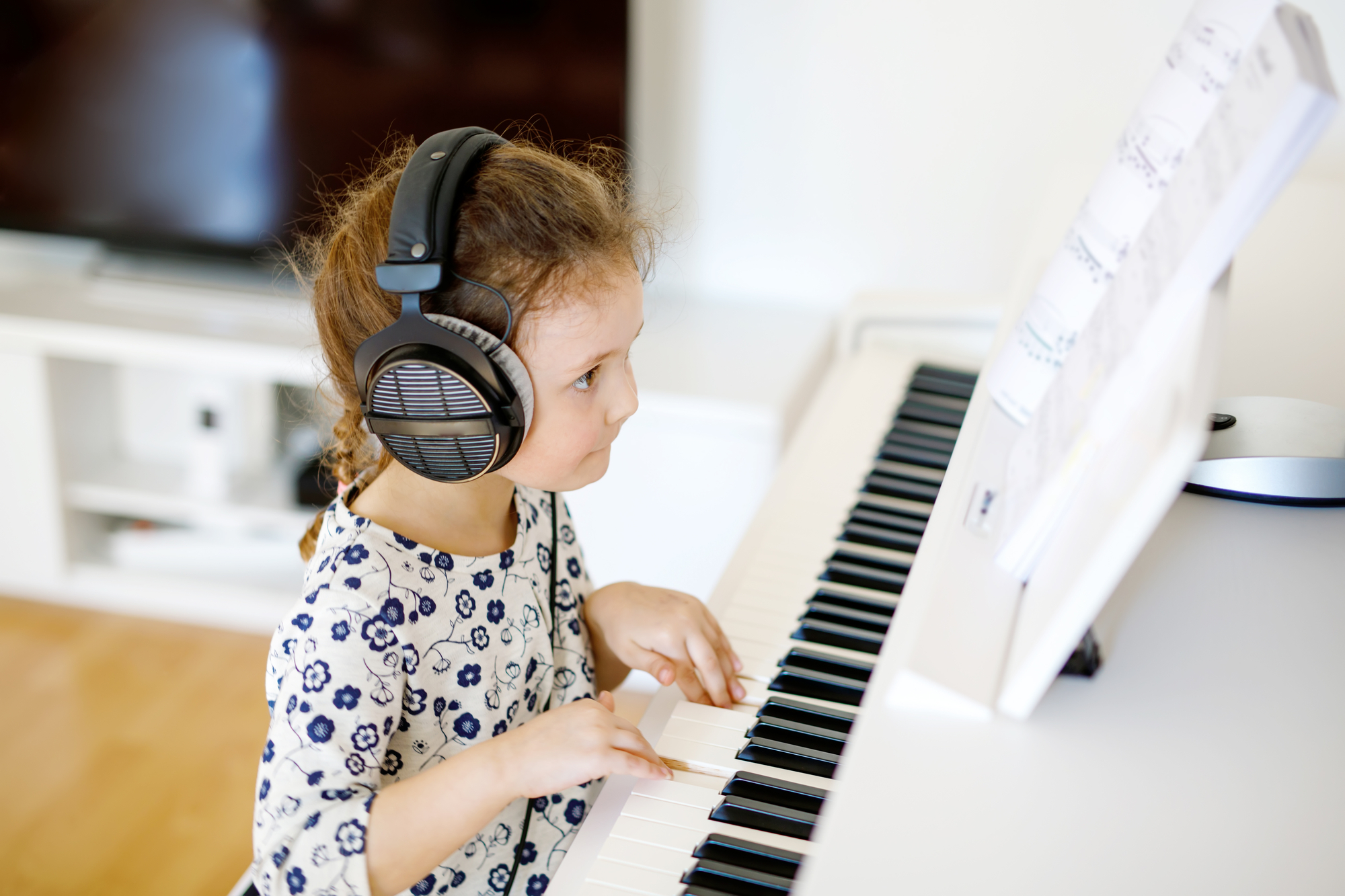
Best Keyboard for Kids To Start Their Musical Journey
Getting your kid a keyboard is one of the best musical investments you can make. Piano builds coordination, teaches reading notation, and gives them something productive to do besides screens. But the range of options is enormous, and a bad first instrument can kill motivation fast.
This guide breaks down what actually matters when buying a keyboard for a child, organized by age and budget, so you can skip the guesswork and pick something they will actually stick with.
What Matters in a Kid’s Keyboard
Not all features are equally important. Here is what to prioritize, ranked by impact on a child’s progress.
Key Action and Touch Sensitivity
This is the single most important factor. A keyboard with touch-sensitive keys responds to how hard or soft the child presses. This teaches dynamics (playing loud and quiet) from day one, which is foundational to real piano technique.
There are three levels of key action:
- Unweighted (synth action): Light, springy keys. Fine for toddlers exploring sounds, but bad for developing proper finger strength.
- Semi-weighted: A middle ground with some resistance. Acceptable for kids under 6 or casual players.
- Fully weighted (hammer action): Mimics the feel of an acoustic piano. Best for kids taking lessons or who plan to progress to a real piano eventually.
If your child is starting formal lessons, most piano teachers will recommend a weighted keyboard with at least 61 keys. An unweighted board lets bad habits form that are hard to break later.
Number of Keys
Standard keyboards come in 25, 37, 49, 54, 61, 76, and 88 keys. For kids:
- 49 keys or fewer: Toy territory. Fine for toddlers (ages 2-4) who are just making noise.
- 61 keys: The practical minimum for a child starting lessons around age 5-7. Covers most beginner and intermediate repertoire.
- 76 keys: A good compromise between portability and range.
- 88 keys: Full piano range. Necessary for advancing students and the only size that won’t need replacing as skill grows.
A common mistake is buying a 61-key unweighted board to “see if they like it.” The problem is that a cheap, toy-like instrument is the reason many kids lose interest. A decent 88-key weighted keyboard gives them the authentic feel that keeps them engaged.
Built-In Learning Features
Some keyboards include guided lessons, light-up keys, or app connectivity that can supplement formal instruction. These are useful but not essential. Features to look for:
- Metronome: Crucial for developing timing. Almost all keyboards include one.
- Recording/playback: Lets kids hear their own playing, which accelerates improvement.
- App connectivity (USB or Bluetooth MIDI): Connects to learning apps like Simply Piano, Flowkey, or Piano Marvel. This is genuinely useful for self-directed practice.
- Light-up keys: Found on models like the Casio LK series. They guide kids through melodies visually, which can be motivating for younger children, though some teachers view them as a crutch.
Headphone Jack
Do not overlook this. A headphone jack means your child can practice at any hour without driving the household up the wall. It also helps the child focus by removing outside noise. Every serious keyboard has one, but some very cheap toy models skip it.
Pedal Support
A sustain pedal input matters more than most parents realize. Sustain pedal technique is introduced early in piano lessons, and not having one means the child will fall behind peers who do. At minimum, make sure the keyboard has a 1/4-inch pedal jack. A full-size piano-style sustain pedal feels more natural than the small box-type ones bundled with cheap keyboards.
Best Keyboards for Kids by Age Group
Ages 2-4: Exploration Stage
At this age, a keyboard is a toy, and that’s fine. The goal is exposure to sound and rhythm, not technique. Look for:
- Bright colors and chunky keys that small hands can press
- Built-in songs and animal sounds to keep attention
- Battery power for portability
- Durability, because it will get dropped
The Casio SA-50 (32 mini keys, ~$50) is a solid pick for toddlers. It runs on batteries, has 100 tones including animal sounds, and is small enough for a child to carry. Don’t spend more than $60 at this stage.
Ages 5-7: Beginner Lessons
This is when many kids start formal or app-guided lessons. The keyboard needs to be functional enough that a teacher won’t tell you to upgrade immediately. Minimum requirements:
- 61 keys (full-size, not mini)
- Touch sensitivity (velocity-sensitive keys)
- Headphone jack
- Sustain pedal input
- Music rest (to hold sheet music or a tablet)
Best value: The Yamaha PSR-E383 (~$200) checks every box. It has 61 touch-sensitive keys, 622 voices, USB-to-host for app connectivity, and a headphone jack. It sounds dramatically better than anything in the sub-$100 range and is the keyboard many piano teachers recommend for young beginners.
Budget pick: The Casio CT-S300 (~$140) is lighter, has 61 touch-sensitive keys, Bluetooth audio, and USB MIDI. It is powered by batteries or AC adapter, making it the most portable option in this range.
Step up: If you can stretch to ~$300, the Casio CT-S1 offers the same 61 keys with significantly better piano tones. The sound quality difference is noticeable and makes practice more enjoyable.
Ages 8-12: Serious Beginners
By this age, a child taking regular lessons needs an instrument that does not hold them back. This is where weighted keyboards become important. Requirements:
- 88 weighted keys (graded hammer action preferred)
- Touch sensitivity with adjustable response curves
- Sustain pedal included (or at least a jack for one)
- Decent built-in speakers (at least 2x 6W)
- USB MIDI for connecting to learning apps and DAWs
Best overall: The Yamaha P-145 (~$460) is the current entry point for a real weighted 88-key instrument. It replaced the legendary P-45 and features Yamaha’s GHC (Graded Hammer Compact) action, which means the lower keys feel heavier than the upper keys, just like an acoustic piano. The tone is sampled from a Yamaha CFX concert grand. This keyboard will last a child through years of lessons without needing replacement.
Budget alternative: The Casio CDP-S110 (~$400) is Casio’s answer at this price point, with their Scaled Hammer Action II keys. Slightly lighter action than the Yamaha, which some younger children actually prefer because it requires less finger strength.
Premium pick: The Roland FP-30X (~$700) is the “buy once, cry once” option. Roland’s PHA-4 Standard action is widely considered the best key feel in this price class. It includes Bluetooth MIDI and audio, dual headphone jacks (great for teacher-student duets), and SuperNATURAL piano tones that respond to subtle playing variations. If the budget allows, this is the one that will grow with a child from age 8 through high school and beyond.
Teens and Advanced Students
A teenager serious about music might outgrow even a good beginner keyboard. At this point, consider stepping up to a digital piano under $500 or a full-featured arranger keyboard if they are interested in composition, arranging, or performing with backing tracks.
Keyboard vs. Digital Piano: What’s the Difference?
Parents often use “keyboard” and “digital piano” interchangeably, but they serve different purposes.
| Feature | Portable Keyboard | Digital Piano |
|---|---|---|
| Keys | Usually 61, unweighted or semi-weighted | Usually 88, fully weighted |
| Weight | 3-8 kg | 10-20 kg |
| Primary use | Learning basics, portability, sound variety | Replicating acoustic piano feel |
| Sound variety | Hundreds of voices, rhythms, effects | Focused on piano tones (fewer extras) |
| Price range | $50-$300 | $300-$2,000+ |
| Grows with the student | Limited (1-3 years) | Years of use |
For a child you believe will stick with lessons, a digital piano is the better long-term investment. For a child who might move on to guitar in six months, a keyboard minimizes financial risk.
Setup Tips That Parents Often Miss
Buying the right keyboard is half the battle. Setting it up properly matters just as much.
Get the Height Right
The child’s forearms should be roughly parallel to the floor when their fingers rest on the keys. Wrists should be flat or slightly elevated, never bent downward. This means you need:
- A sturdy stand at the correct height (many X-stands are adjustable)
- An adjustable bench or chair — not a dining chair, which is almost always the wrong height
- A footstool for children whose feet don’t reach the floor (dangling feet cause tension in the shoulders)
Position the Pedal
Place the sustain pedal directly below the keyboard, centered or slightly right. The child should be able to press it with their right foot without shifting their body weight. Secure it to the floor with a strip of non-slip shelf liner if it slides on hardwood.
Set Up a Practice Space
Dedicate a spot for the keyboard that stays set up. Having to pull the keyboard out of a closet every time is a practice killer. The easier it is to sit down and play, the more often they will. Keep it away from direct sunlight and heating vents, which can warp keys over time.
Accessories Worth Getting
- Sustain pedal (~$15-30): If one is not included, buy a piano-style one, not a cheap box pedal.
- Keyboard stand (~$25-50): An X-style stand works for most portable keyboards. A table works in a pinch, but the height is rarely right.
- Adjustable bench (~$40-80): Far more useful than a fixed-height stool.
- Headphones (~$20-40): Closed-back, over-ear headphones work best. Volume-limiting headphones are worth considering for children under 10 to protect their hearing during long practice sessions.
- Music stand/tablet holder (~$10): Essential if the keyboard doesn’t include one. Many kids now follow along with apps on a tablet propped on the music rest.
How to Keep Kids Practicing
The best keyboard in the world collects dust if the child isn’t motivated. Based on what piano teachers consistently report:
- Short, daily sessions beat weekend marathons. Fifteen minutes a day, five days a week builds more skill than one hour on Saturday. Research on spaced practice in music learning confirms that distributed practice leads to better retention.
- Let them pick some of their own songs. If every session is strictly classical exercises, interest fades. Mix in songs they actually want to play.
- Use a practice chart. A simple sticker chart for younger kids, or a habit tracker app for older ones, adds a layer of accountability.
- Attend recitals or watch performances. Seeing other kids perform creates a “that could be me” effect that no amount of parental nagging can replicate.
- Don’t hover. Sit in the next room, not right next to them. Constant correction during practice breeds resentment.
Common Mistakes to Avoid
Buying too cheap. A $30 keyboard from a big-box store with tiny, mushy keys and terrible speakers will frustrate a child within weeks. Budget at least $100-150 for a usable beginner instrument, or $300-500 if the child is starting real lessons.
Buying too expensive too soon. A $2,000 stage piano is wasted on a 5-year-old who might decide they prefer drums. Match the investment to the commitment level and upgrade as the child progresses.
Skipping the sustain pedal. It is introduced in beginner method books within the first few months. Not having one means the child can’t play the pieces as written.
Using a keyboard as a babysitter. Young children still need guidance during practice, especially in the first few months. Sit with them occasionally, show interest, and celebrate small wins.
Ignoring the stand height. A keyboard on a coffee table or a desk that is too high forces awkward posture. Bad posture leads to fatigue, pain, and eventually quitting.
Conclusion
For most families, the right choice depends on the child’s age and your confidence in their commitment:
- Toddlers (2-4): A small, inexpensive keyboard like the Casio SA-50 for exploration. Keep it under $60.
- Young beginners (5-7): A 61-key touch-sensitive keyboard like the Yamaha PSR-E383 or Casio CT-S300. Budget $140-300.
- Serious beginners (8+): A weighted 88-key digital piano like the Yamaha P-145 or Roland FP-30X. Budget $400-700.
The recurring theme across all the best options is that key feel and touch sensitivity matter more than the number of built-in sounds or flashy features. A keyboard that feels good to play is one that gets played. Everything else is secondary.